Showing posts with label Assistive Technology. Show all posts

Wednesday, May 7, 2014

Learning Java with Nick Wackowski

While working in the Innovation Lab, I learned about how to plan and code a program in Java. I already had some background with Java, but I never made a program this large. As such, I learned a lot about how to properly plan out my code, and how to stay motivated while writing massive blocks of code. I also learned a lot about using different classes, and how to program one class to go into the other without any sort of weird thing happening in the code ruining the whole program because that would be really annoying you know? So I learned how to properly plan everything out so that wouldn't happen and now everything is going swell.

Since my last blog, I did a lot of testing with my own program. I found a rather crippling flaw with Browxy: if it runs a program for more than a minute and a half, browxy crashes. As such, I can only test minute-and-a-half intervals of the game. I will have to find an actual JVM to test my game.

Monday, April 14, 2014

Ian's Formative Project / Blog Post

Last week at the Help Desk I finished the model for my robot. Since it was actually the
first humanoid model I’ve ever made I decided to try and learn how to Rig it. Rigging seems to
be a tedious and intense process from what I’ve heard, but it’s easy to explain. If you think of the
model as the muscles of a character, then the rig is the character’s skeleton. If properly set up, a
rig can allow you to grab a joint and move an arm quickly rather than having to slide and rotate
the shapes of the arm one at a time.

A screenshot showing the model posed for rigging and a very basic rig of an arm.
Like I said, I know very little about rigging right now. Right now I’m searching for
tutorials and examples to work off of. But from what I’ve seen to start rigging I may have to
work on some other skills as well, like grouping the shapes to stay organized. I may not even
finish the rig of this model during this course, but if I can teach myself the basics I’ll be satisfied.

Monday, April 7, 2014

Parth Valecha's April Blog Post

Hi, I am Parth Valecha. I am working on a product called FreeBuds. By now, you probably have the basic idea of what the product is. It’s an mp3 player implemented into headphones for athletic use. I have already finished two mini-projects. One project isn't all that mini as it is a three page single-spaced essay. This essay talks about the benefits of my product, the quality and technology behind the product, and the marketing and attitude of the company. The quality and technology behind the product is not very deep but it gets the main
points of the product design. The marketing is interesting as it markets a way of life through the product rather than the product itself. My second project is based around the design and demands of the product. It is a comparison between all sorts of headphones. It shows how each headphone chosen relates to my product to get a basic idea of what the product will look like. It also has a section that describes what makes our product unique and in some cases better.

I am working on my third mini project right now. It is a 4 slide presentation. It touches on the benefits, product design, and marketing of the product. The first slide is just the intro slide. I made it rather flashy and poppy to show the attitude of our company. The second slide will in bullets describe the problem that the product solves. The third slide will have a diagram showing how the product will come together and work. The last slide will be a video of the dumb stuff I do with my friends. This slide shows the way of life that we try to market. This presentation will be used as a template for my final presentation.

Tuesday, April 1, 2014

Nick's Formative Project / Blog Post

For my project, decided to program a text-adventure game in Java. I found an online compiler called ‘Browxy.com’, which saves and compiles your programs. I created a flowchart which mapped out how the game would progress, then another flowchart showing how I would actually program it. I like flowcharts.

To showcase my project, I can use a screen capture program to show me playing the game, and then show some of the actual code which I used to make it. I can also show the flowcharts I used, to show my process for writing a program. I could also talk about how planning ahead can save a lot of time, and tell stories about how I had to scrap an entire 200-line bit of code because it wouldn’t work properly.

Wednesday, March 19, 2014

Peter Banta Blog Post for March

This week has been the beginning of phase 2 of my final project. This means that the entire front of my spaceship has been fully modeled down to every last detail. The overall cockpit came out very nice, and the texturing i made for the glass encompassing the cockpit looks very good. The beginnings of phase 2 have been very promising, and the body shape for the middle section of the ship is looking very nice. I have enjoyed the process as I have had a lot of success with the whole modeling process. The whole class experience has been very enjoyable also.
phase 2 scene 1.png


The project is going well, and I like the way the small details of the cannons are coming out. Phase 3 is going to be very detailed, while phase 2 is more about getting a rough shape down while doing some of the details in the back. I really like how it is going so far and I think I am slightly ahead of schedule as I finished the main body shape in half a class instead of the whole class like I thought it would. Overall the help desk is clearly making me a better modeler in general.

Taha Vasowalla Blog Post for March

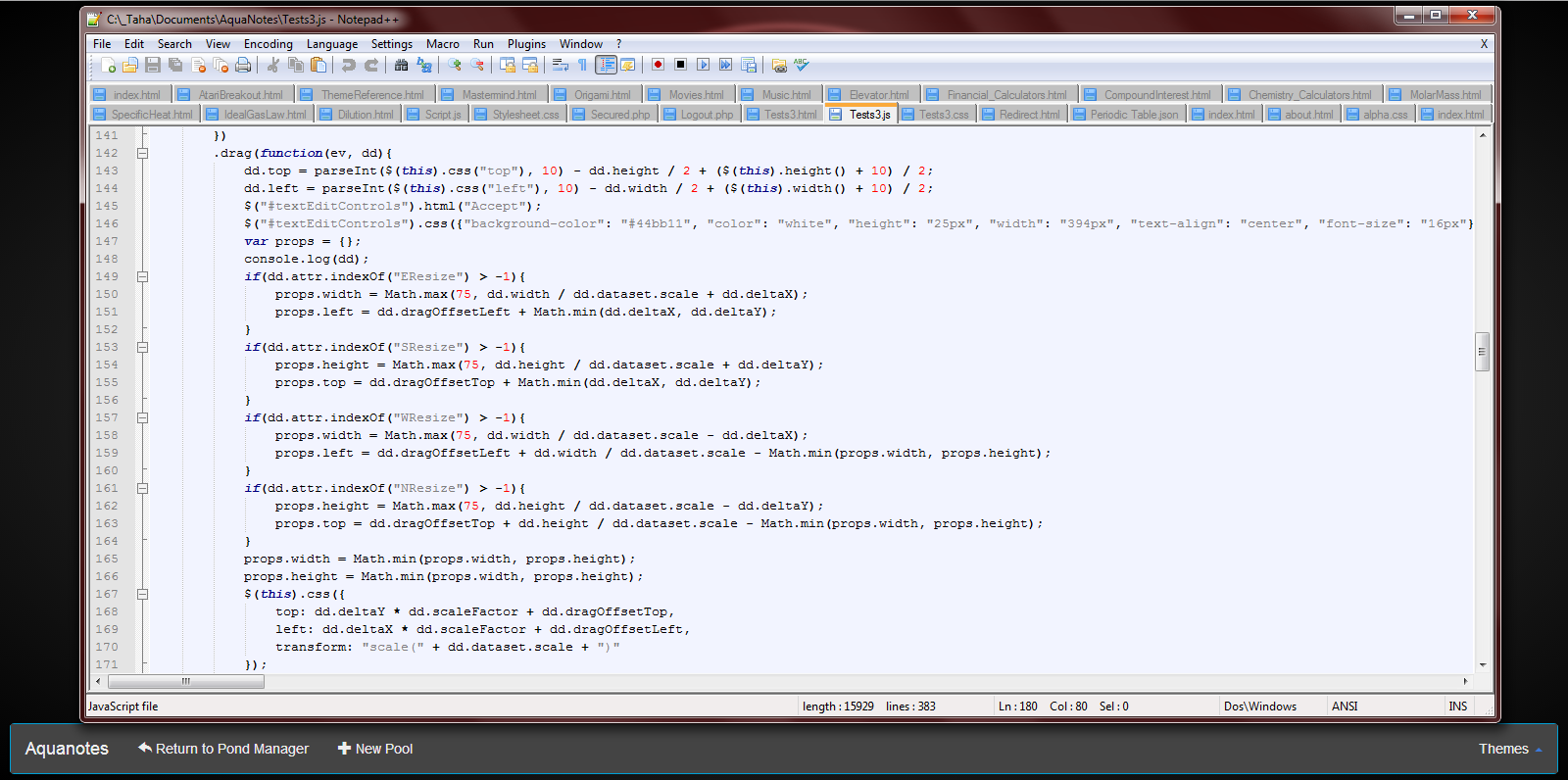
So far in Tech Team, I have been working on my project, Aquanotes. Mostly I am programming in the core functionality of the program and working to make it fully functional and ready for the web. There are many bugs that I have encountered and I haven’t fixed all of them yet. I am hoping to get a prototype done by the end of March.

My three formative projects are done and our website is also nearing completion. All I have left is writing the actual program so it looks like I should be able to meet my deadline.

Lee Lebensbaum Blog Post for March

So far on this quest, I have finished my first project. My PowerPoint has been completed, and there are two more dragons to slay: the word document and the video. Taha and I, while often working extremely hard, delve into the mystic worlds of Steam, to motivate ourselves and build our minds with valuable knowledge and experience.
The idea of using Google in education is coming together, more so than before. A few weeks ago, I was hesitant on using other features other than Google+, but then I found so many useful tools that can be (and should be) used. Google Calendars, Google Groups, Google Communities, Google Drive... the list goes on! In the word document, I shall explain all of the uses of these apps. In the video, the plan is to give a tutorial on setting up and using Google+ for teachers and students. Overall, this project is coming together well and the hope is to finish the entire project by the end of April. The sword in this epic is my brain, and wielding, it, I shall conquer this project!

Ian Blog Entry for The Month of March


            For the past few weeks at the help desk I've been improving my skills with the 3D modeling and animation program Maya. I started using Maya two years ago but ended up taking a long break, so I had to spend the first few classes relearning some of the tools. The project I’m currently working on is a model of a robot, which I’m going to use to try and learn rigging. I just completed the first phase of my project, which was to make the actual model of the robot. The whole thing went well and I finished in good time.


            Soon I’ll be starting the second phase of my project, which will be to learn how to rig and begin rigging the model. I actually have never tried rigging before, but I've heard it’s an incredibly time-consuming process, so much apparently that I've been told I may not finish by the end of the term. I’ll do my best though and if I somehow manage to finish the rigging with time left I’ll make a simple animation with the robot.

Sara Blog Entry for the Month of March

Hi Everyone! Just wanted to update you on my website progress. With help from Mr. Downs, I now have a template that I am using for each of the pages. I picked out the color scheme and the
pictures that I will be using. Also, I am planning on creating my new logo soon. I learned a lot of new code, which is posted below. I now know how to change colors, as well as create new boxes on the screen.
On a side note, I was recently selected to represent Andover High in a Cake War where I will be designing a cake that is Andover High School themed. I will be competing against a few other schools in surrounding towns, and all of the cakes will be posted to Facebook. The winner is chosen by who receives the most likes on their picture. I am excited about this opportunity because I love how it connects my love for baking with technology.

Collin Blog Entry For the Month of March

So far I have been working on basic HTML and planning a webpage. I have been using codecademy and W3 schools for learning basic HTML. Also, I have been planning a template to put my website on. I will be implementing SEO on this webpage and learning/using some techniques to rank the site. These will be learned through websites online, as well as other files and PDFs found on the web.


I enjoy this class for the independent attributes it offers. I am able to do as I please regarding computers. The skills I learn in this class will be used on my own time. These are skills that if I did not learn in class, I would likely learn on my own time outside of school. It is nice to be able to learn something in this class that I will be able to put in practice.

Max Blog Post for the Month of March

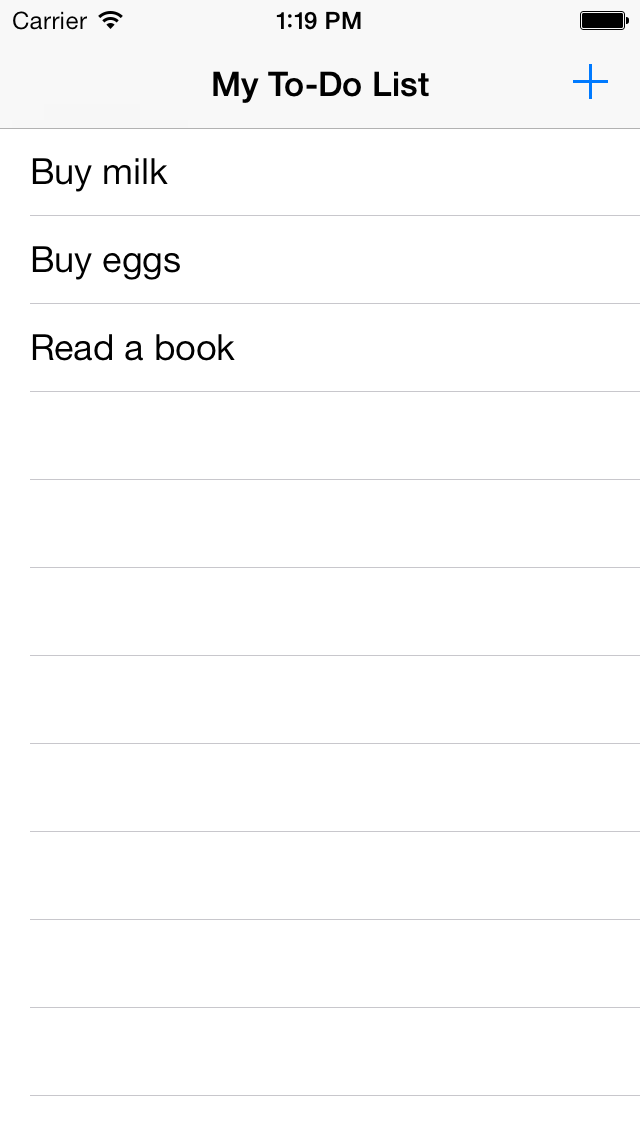
iOS Simulator Screen shot Mar 6, 2014, 1.19.27 PM.pngSo far at the technology help desk, I have gained a lot of knowledge about programming in Xcode. I have been able to program a basic to-do list mobile application. The app displays a list of to-do items and allows you to check them off when you complete them. You can also add items to the to-do list. To build the app, I watched a video tutorial on programming in Objective-C, which iOS apps are written in, and I followed the tutorial on Apple’s website for beginning iOS programming.

Moving forward, I hope to make other simple apps that utilize different aspects of iOS apps. Next I will work on an app that has more programming in it. My to-do list app had very minimal code, so I think that I will next make a calculator app. After that, I think that I will make an app that utilizes some of the phones hardware such as gps or Bluetooth.


Resources:

Tuesday, March 11, 2014

Katherine-Blog Post for the Month of March-Andover Innovation Lab/Help Desk

3.6.14.website skeleton.png
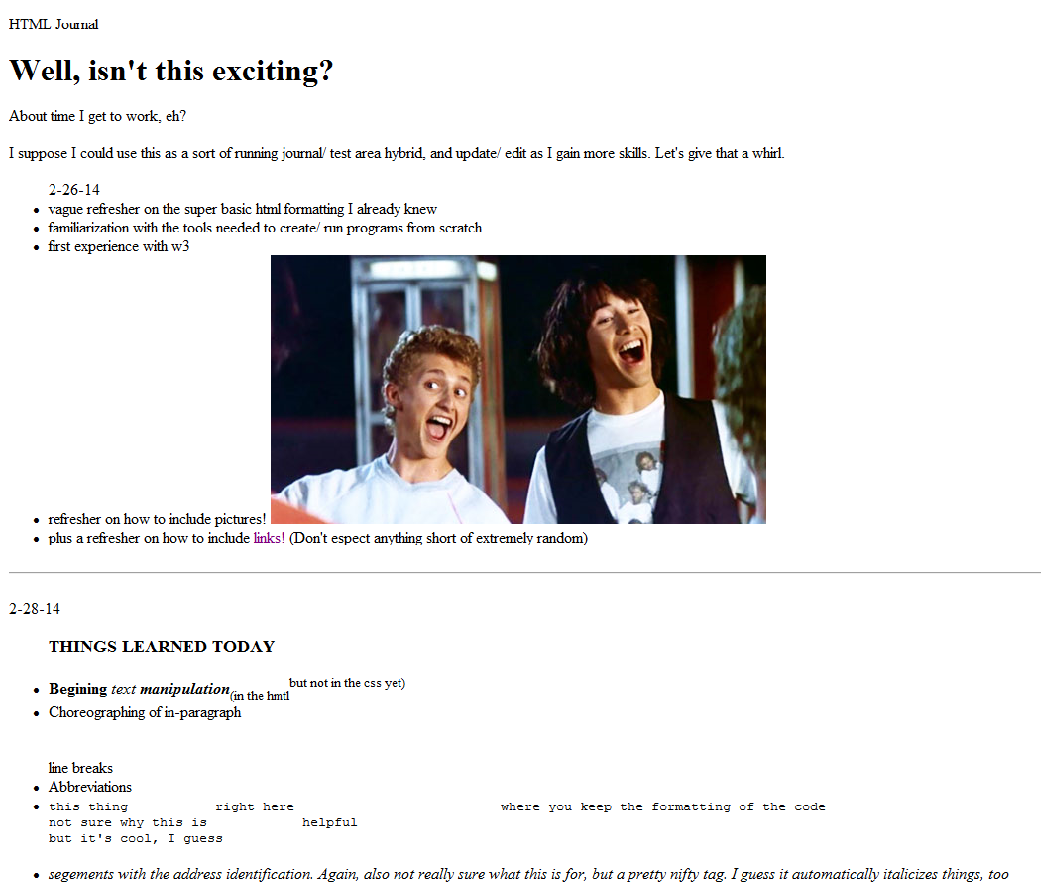
Since my last post, things have been picking up speed. I’ve moved on from my research project and have started to learn HTML online through w3 schools. It’s been good, though I wish I had more time to work each day-- I find that when I use w3 schools within a mere constricting 82 minutes, it’s tricky to strike the right balance between reading new material tutorials and actually practicing the skills I’ve learned. To counter that, I’ve decided to try out the idea of the “HTML Journal”. Theoretically, with the HTML Journal I can both take notes on what I learned that day AND attempt to execute the correct use of those skills, all at the same time! That way, I have a continuous log of concepts learned, with working code (and the accompanying physical results!) to serve as a reference for my work at a later date. Plus, by putting my work each day on a Google Doc, I’m able to access and continue my work at home (on the rare occasion that I’m not drowning in homework.) Although, I will admit that documenting the process of learning HTML from scratch is embarrassingly simplistic  at first. As you can see from the included picture of the fruition of my HTML efforts thus far, I am still far from making an aesthetically pleasing product.

Going forward, I’m looking forward to learning the CSS to bulk up my HTML. I’d say I’m downright anxious to get to CSS, actually, because what I have right now just looks silly. Hopefully, by the time I write my next blog entry, I’ll have learned to integrate CSS well enough to make the skeleton I have now into something that actually looks plausibly legitimate website. I guess that if I start making my website look more professional, I should probably step up the quality of my content as well-- but I’m not ready to give up Bill and Ted or my plethora of goofy links, so I’ll worry about that later. I still have plenty of things to learn before I’ll be nearly close enough to that level of proficiency
.


Monday, February 10, 2014

Eight Suggestions for Formative Projects / Zachary Griffin

     Now that we are on week 3 of the Andover Help Desk with our new students this semester, they are now preparing to enter Phase 2 of their progress. Phase 2 is where the students will be expected to have a design plan laid out, which will show us how they plan on getting what done and when, and several samples of their work from this point. Below is a list of eight suggestions on what they can be working on for their Phase 2 part of their project if it helps them:

Drafts: Drafts are a vital part of any project. Anything that a student has worked on that led them to where they are now is the essence how their project has progressed. While it is not required, a student at the Help Desk could gain a lot of support by looking at some of the resources they developed during their progress on their project.

Info Graphics: These will allow our students to create simple and informative graphics explaining what their outline of their projects are, as well as outlining the various different steps of Phase 2  A convenient and free site to do this is "Easelly.com".

Script and Storyboard: Mainly useful for students working on video projects, creating a short and informative video that explains your progress up to this point is a very efficient way to both show your work and explain where you progress is up to this point.

Videos: Creating video tutorials that showcase your work up to this point is a great way of showcasing your work up to this point. Often times, viewers may not understand what the students project is about and how it works, and creating a tutorial or lecture video on what it is the student is working on is a great way to explain to his/her viewers what they plan to accomplish at the Help Desk.

Tutorials: While creating a video is one of the more efficient ways of showing off a tutorial, creating graphics, charts or other types of forms can also prove to be a useful approach on teaching others about your work. By using Google Forms, a student could create a list of things to know about their project as well as some simple tutorials steps that will help viewers understand more about what they are writing about.

Content Outline: Students who are creating a website or online app may find this useful. By creating a simple form that lists all of your content alongside a sketch of how your project will look with it can help the students understand how they plan on putting forward their content. You can create a form using the Google Docs.

Blogs: While we are always putting out blogs from the students progress every two weeks at the Help Desk, some students may find it useful to create blogs as their way of explaining their progress. Writing up a simple doc telling us where they are and what they plan on doing will help them in many ways.

Location Map: Location maps are similar to info graphics in that they allow for the students to create an image showcasing what their goals are for their project. However, a location map acts more akin to a hierarchy chart which illustrates where and when a students plans on going forward with each part of a project.


While none of these suggestions are required by any of our students for phase 2, it will still prove to be useful if they are looking for an efficient way to present their work and progress up to this point.

Here are a few links to a few valuable sites that can assist students in processing their information:
http://www.easel.ly/ (Easelly is a useful site for trying to create info graphics.)

docs.google.com/ (Create forms using Google Docs.)

http://www.fraps.com/ (A free to use program that allows you to record your PC and create a video)

Saturday, February 8, 2014

Crispins Wendells Andover Innovation Lab Project: Learning Java

My name is Crispin Wendell, and I'm a freshman.  I've been working at the help desk for about a week, learning Java with the goal that I might be able to design mobile apps.  I haven't helped any teachers yet, but
I have a good understanding of the way these old computers work from playing around with the laptop my parents let me keep in my room, which was made in around the same year.

I have been using online tutorials such as Eclipse to learn the language, mainly because the Android operating system only accepts applications written in Java.  As a simple project I hope to complete, I would like to make an Warriors Weekly app.  Basicaly, it is an app that has access to Warriors Weekly and is an altenative to following it on Twitter or having to visit the site, which can be tedious work if you are trying to search it on a smartphone.

Collin McDonnels Andover Innovation Lab Project: Creating A Website

My name is Colin; I have been working on W3 schools reading guides on HTML. I also read a guide on search engine optimization which was a PDF file from Google. I have enjoyed my time so far at the help
desk because I can work on what I want to work on and am not rushed. I am also given choices on what I want to do with my time.

I will be making a website using HTML and will then use SEO techniques to rank it. I have been planning what to do the website about and how I will implement SEO on it. I still need to plan and learn further before I am capable of completing my goal. The finished product will hopefully be done by the end of the year, which will consist of a website and SEO. 

Lee Lebensbaums Andover Innovation Lab Project: Google Docs For Education

My name is Lee Lebensbaum, a sophomore, and I've been working hard (or hardly working) at the Andover Innovation Lab. We've helped one teacher thus far, with her projector trouble, and that was quite rewarding. I've been trying to figure out a way that teachers and students can utilize Google's apps, such as Google


Hangouts and Google+, to interact with students and make teaching more engaging. Instead of using Edmodo, which makes it tedious to interact with other students and teachers, Google+ has Google Hangouts, which allows for chatting with fellow students or one's teacher. The teacher can open a Google Page or a Google Community and post homework on there. Google Docs and Google Drive can be used for group projects and submitted via emailing to the teacher via Gmail or posting it on the Google Group. The possibilities of using Google for education are infinite.

This has been a short five classes, and with Taha by my side, the ninety minutes go by even quicker. On the rare occasion, Taha and I diverge from our main priority and check out some random site relating to cats and the like, but overall, we are very productive. Sometimes, I feel jealous that his project actually requires a lot of technical skill, but I feel like my project does has some significance (I'm not saying his doesn't, he's trying to reinvent how students take notes). Together, we are reinventing the way teaching and learning is done.

Thursday, February 6, 2014

Ian Macgregors Andover Innovation Lab Project: Maya Development

My name is Ian Macgregor and I'm a junior working at the help desk. For the past two weeks I've been working with Peter on 3D modeling in the program Maya. I began modeling three years ago, but then dropped it for a

while. I started getting back into it this summer and have been focused on relearning all the tools and such. I've
only been here for four classes so far, but the time has really gone by quickly. We haven't had to work on any tech problems yet, but I'm kind of looking forward to helping people if I can.

Right now my current project is pretty simple. To get back into Maya I'm making a model of a robot, which I'll rig and animate later. I'm doing this to try and branch out a little from where I left off last year, as drawing or modeling humanoids has never been my strong point and I never got around to learning rigging. Like I said I've only been here for a few classes, but so far I've made a fair amount of progress on the torso and started shaping the head, which you can see in the attached picture.

Taha Vasowallas Andover Innovation Lab Project: Aquanotes Development

My name is Taha Vasowalla and I am currently part of the Andover Innovation Lab. So far, I have been working on a project called Aquanotes that my friend and  I started a little while ago. Basically, it is a program for organizing and keeping track of notes. By making note-taking easier and more visually appealing
as well as making it accessible from the web, note-taking should become more streamlined and more efficient overall. There are many bugs in the program and new ones always pop up whenever I add a new feature so it looks like it might take a while to get a fully working prototype up and running. The deadline that I have set for a fully-functioning prototype is the end of this school year.

After the prototype is done, we plan to have beta testers find any bugs or features that we might have missed and then build on to Aquanotes as we go on.

Wednesday, January 22, 2014

The SETT Framework: Evaluating Special Education Assistive Technology-TIE Technology-Holyoke, Ma

On January 14th, I had the opportunity to visit The "Technology in Education" Conference put on by the collaborative.org organization in Holyoke, Ma at the Kittredge Center at Holyoke Community College. It was my first visit to this conference and was able to benefit from the small focused presentations made by educators predominantly from the western part of the state. 

I was accepted as a presenter for this conference and made a presentation to approximately 30 educators/administrators on the tools and resources for beginning a Mobile Application Development course. I presented using a Google Presentation but also included links to a website I am currently developing which contains all of the lessons I have created for the Bunker Hill Community College 
Courses Mobile App Development Certificate. I shared these resources and also a variety of videos students in my classes have made of apps made in a Project-Based Learning environment with technology. Here is a link to the resources and presentation.

After my presentation I had the pleasure of sitting in on a fantastic presentation from Dale Gardner-Fox, Jeanne Tuthill and Allegra Osborne. Their presentation "Are You SETT to go?" outlined the barriers to successful Assistive technology implementation in special education. They described the frustrating problems of choosing tools which don't fit students’ needs and abilities, lack of proper training, environmental factors as well as the timeliness and appropriateness of the assistive technology. 

The presenters described and outlined the "SETT" model developed by Joy Zabala(http://www.joyzabala.com/) as a beneficial process to help asset in best implementing assistive technology. SETT stands for 
Students, Environment, Task and Tools. Each one of these elements are collaboratively evaluated in teams which take into account consideration of the student needs, selection of proper technology, a plan for implementation and a process for evaluating the effectiveness of the process.


The SETT framework counters several large issues with assistive technology:
1. Poor implementation and planning of Assistive technology.
2. Consistent and Appropriate Use of Assistive Technology
3. Due to cognitive weaknesses "Tech and Content" cannot be expected learning goals due to
Cognitive failure.
4. Helps avoid "learned helplessness"(when students perceive frustration to the adaptation to the use of technology).

The SETT framework is a four part model using a collaborative approach to using the technology we want to use in the special education classroom. The stakeholder team makes things happen and students in some instances can be part of this decision.


1. Student: When addressing the students’ needs with assistive technology it is important to carefully consider the selection of digital tools which take into consideration the needs of the student and how they will be implemented into the classroom.
·         The consideration and selection process should be continual and use the IEP as a guide.
·         Selection should be based on what the stakeholders see the student as being able to do.
·         What barriers and potential successes are available with the tools?  
·         Developing student motivation to use the technology is beneficial for success.
·         The most important factor with tools is that there is a plan for the evaluation of the effectiveness which is done with a team approach including all stakeholders relative to the student (paraprofessional, teacher, administrators, aides, parents). 
2. Environment: Determining the environment in which the technology will be used is also a critical component to the SETT framework. 
Data from the environment should be collected from a variety of sources:
·         Strengths and Concerns
·         Physical Barriers
·         Expectations of others.
·         Outside of school environment.
·         Possible low-tech adaptations
3. Tasks: What is the point of the Tech?
It is important to directly address the purpose of the technology and how it will be used.
·         Is it going home?
·         Is it connected to real goals?
·         Do the tasks learned align with active participation in all environments (communication, instruction, productivity, environmental control)?
An assistive technology plan helps keep accountability with the student.

4. Tools: The tools are the choice of devices, applications, computer/web based technology used in the classroom/home.
·         Devices should support learning, communication and social goals (Intellitools, IPad, Apps).
·         Services and training should support the staff and student needs.
·         Specific strategies should be in place to create motivation with the tools (music, writing, normative activities).

This framework enables a real evaluation of how assistive tools can be used and supported in the classroom. The critical components are that the major stakeholders are involved in the decision making process and an alignment of the learning goals and technology used is made as tools are chosen. This framework can also be used as a district strategy for educating staff on the evaluation of assistive technology by adjusting the model as a district vision.

S-Student=District Personnel
E-Environment=District Level Knowledge
T-Tasks=Staff Implementing Technology
T-Technology=Technology Both High & Low Tech

By replacing the variables of the traditional model with district staff a plan for educating your district with the beneficial strategies of assistive technology alignment can be gained. A critical role in this process is the district level knowledge of the importance of a plan with assistive technology and also the training provided staff for the implementing of the technology into the classroom.


Friday, January 17, 2014

First Experience With Google Hangout's At The AHS Help Desk / Zachary Griffin / IT Assitant

     Of the many useful tools Google provides, Google Hangouts is an icing on the cake, as it not only allows you to video chat with your friends and co-workers, but it also doesn't even require an install! As Hangouts is a Google app, you simply plug it into your browser interface and you can chat with your friends in seconds. As with all of the other Google Apps, Hangouts is completely free, and so long as you have a Google account, you have complete and unlimited access to its features. 


    On Wednesday at the Andover Innovation Lab, I worked with both Eli and Dan on a Google Hangout, where Eli showed us his work on his app that he had developed during his year in the Help Desk. Dan and I watched as Eli presented his questionnaire game using Google tools and other online resources for the presentation. In order to make Google Hangouts feel authentic, we were each put into a different room in the Library apart form each other, so it truly felt like it was a real professional online session. Eli did an amazing job, and hopefully other students and faculty will get a chance to watch the session on YouTube. 

     Viabhav, being another long time student of the Help Desk, also presented his project on Thursday, using Google Hangout. Viabhav was assigned to show Mr. Downs, Eli, and myself how Minecraft, a popular crafting video game, can be utilized in schools and provide unique learning curves for students wanting to learn professional fields in software development. Viabhav went over all the need to know information for people getting familiar with Minecraft for the first time.

    Video online sessions are very useful in that they allow you to get to know someone without having to either call them or meet them in real life. Jobs in today's market are pushing towards a more virtual based environment, and the Google Apps enable a lot of the most convenient ways for people to do this. As the next semester rolls in with our new group of students; the Andover Innovation Lab can look forward to doing several more Google Hangouts in the future.


Learn more about Google Hangouts here:

Link to our YouTube channel: