Showing posts with label foreign language. Show all posts

Saturday, February 8, 2014

Instructional Technology At Andover High School Week of February 3rd -February 7th 2014 -Daniel Downs

I had the opportunity this week to meet with Anil Navkal from Solarize Andover to discuss how the help desk can support his website and social media campaign to help bring awareness to Andover residents the great benefits of solar power. A student in Andover Innovation Lab will be taking ove rthe Twitter account set up and editing of his website. There is also a current program within the Art program in the Andover Public Schools to help create some student artwork related to bringing awareness to solar power in Andover. We look forward to developing this relationship at the Innovation Lab and partnering with outside organizations.


On Friday I was able to participate in a software/hardware training with EMI in the Foreign Language Lab at Andover High School. EMI sent their trainer Josh Martin to display the use of the Sanako Language software in the Foreign Language lab. I was able to participate with Tom Powers Spanish Teacher at the High School and Dr.Jorge Allen the Program Advisor for Foreign Language.


This software helps prepare students for the AP Exams in their chosen language. The software engages students in continuous practice and repetition with dialogue lessons which the teacher can track over time. This is a great resource for the language department and enables a level of fluency development which is just not possible in the traditional classroom.
On the left is a photo of the interface doing student voice analysis.


The lab also has the capability to act as a server for department
resources. What this means is documents and files saved onto this space can be accessed by any teacher in the department from their Macbook. I am currently writing the tutorial document to assist teachers to connecting with this resource so they can collaborate and share collections. This space provides a unique space for students to immerse in language study.


In the Social Studies Department I had the pleasure of working with the teachers to
introduce a shared Wikispace for collaborating with shared resources and links from course content. I will continue to work with them at their next department meeting and go over some of the benefits and features of their chose platform.


The new students who are part of the Andover innovation Lab this semester have posted their profiles to our blog. We like to provide students and opportunity to share what is special to them and why they wanted an opportunity to learn more about a specific area of technology. Check them out to learn more about their interests and projects. The students have also begun their first weeks of work in the Innovation Lab/Help Desk and have posted their progress as well. 
Check these profiles out at this link!


Digital Learning Day was Wedneday! Even though it was a snow day in Andover and many other places WGBH Education Sponsored prize pack giveaway for teachers who went on the WGBH Education Page and commented on lesson resources from PBS-Click Here to see the lessons and resources available from PBS! 

http://wwe.wgbh.org/learn/resources.cfm


Well that is the instructional technology update from a great week at Andover High School!

Thursday, January 16, 2014

Instructional Technology & Digital Learning Andover High School Week of January 13-17

Instructional Technology & Digital Learning Andover High School Week of January 13-17
Daniel Downs


During a week in which most teachers are preparing for the end of semester exams many teachers are still working at integrating a variety of tools into the classroom. I had a chance at the last faculty meeting to present some of the components of using Google Docs with files and some of the benefits of collaboration with these tools. Being able to share these tools has opened up a variety of conversations with teacher’s which has extended from just creating Gmail accounts and exploring the collaboration features to developing Google Forms for Assessment in the classroom.


Teacher Highlights:

Teachers in Foreign Language are integrating variety of podcast tools in the foreign language department to help students learn language. Students can participate in lessons driven with native speakers and deep embedded vocabulary.


For the purpose of improving her connection to her students with web based content a teacher is developing a blog using the Blogger format from Google. She has developed a variety of lessons and media to support her existing curriculum. She will be rolling out the website in the new semester. I have had the benefit of working with her to develop the technology which supports her teaching methodology.


Teachers in the Social Studies department are in the process of reviewing web based tools in which to store and share links of curriculum content to share and collaborate with. Teachers were introduced to tools such a Wikispaces (http://www.wikispaces.com/), Portaportal (http://www.portaportal.com/), Urlist (http://urli.st/) and https://delicious.com . These tools can add layers of productivity and collaboration between teachers. For the document outlining these tools click here.


Teachers are beginning to integrate Apple TV into their classroom environments either by projecting their desktops to their class or using the built in applications. Apple TV is an additional piece of hardware which enables “sharing“of Apple devices (IPad, MacBook’s, and Phone’s) to the projector. This technology is particularly beneficial to classrooms in which has access to the IPad or MacBook carts so that students can project their device as well. To learn more about this technology check out this page from Apple.


Co-Teaching Experiences
I had the opportunity to go back into Karen Stevens-Mazmans' class and teach a web design lesson using HTML (Hyper Text Markup Language) and CSS (Cascading Style Sheets) for a marketing webpage assignment she is giving to students. Students are creating promotional websites based on a product. Click here to see her lesson write up. Going into her classroom is a great opportunity to share my skills and deepen the skills learned in the Marketing curriculum. It’s great to see the student’s interest grows as they learn how to code and change the appearance of websites.


Andover Innovation Lab/Help Desk
Students are in the final phases of their independent technology driven projects at the Innovation Lab. We currently have a student creating a mobile application (Eli Gukovsky), researching Minecraft in Education (Viabhav Patel) and learning the programming language Lua (John Makiej). These students will be presenting their final projects during the finals week in an online platform. For more information visit:


Teachers are well into the swing of adapting to all the new technology provided to enhance their teaching and learning. Wireless projection and understanding the intricacies of their new MacBook’s  is beneficial to student engagement but we also want to continue a deeper level of integration of a variety of web tools such as Google tools, Workspaces and a variety of Ipad applications which enhances student understanding of core concepts. In the Science Department a recent influx of new applications for their Ipad carts has enabled them to demonstrate Physics, Engineering and core Physical Science content online.


These updates are just some of the continual evolvement that is going on with technology driven initiatives at the high school across curriculums.

Sunday, November 24, 2013

Integrating Google Docs Into The French Foreign Language Classroom-Andover High School Instructional Technology

I recently had the opportunity to assist a French teacher with introducing Google Docs for creating a survey in his French classroom. Prior to me coming to his classroom and working with his students we discussed how we could use Google Docs so that students could share surveys that they create in French with each other more easily. The French teacher also wanted to streamline the process of having availability all of the surveys available on the web organized by class. This teacher was very open to the different possibilities of using Google Docs for integrating these surveys in his classroom.


Prior to me coming to his classroom the students typed up the surveys in Word document format. To assist this teacher I came into the classroom to coteach and show the students how to create a Google form and how to edit the different types of questions and explain how they had many options. Students learned how to create a form, change the name of the form as well as choose a template for the appearance. Even though I knew Google Docs to be very popular tool amongst high school students I was very surprised that many had not created a form before. The students did a great job working within the Google interface and the options for forms is very intuitive and allows them to choose the different types of questions(multiple choice,text,paragraph,checkboxes,choose from a list). Form questions also enable for adding help text to each question and also gave an options for whether or not the question was required or not.


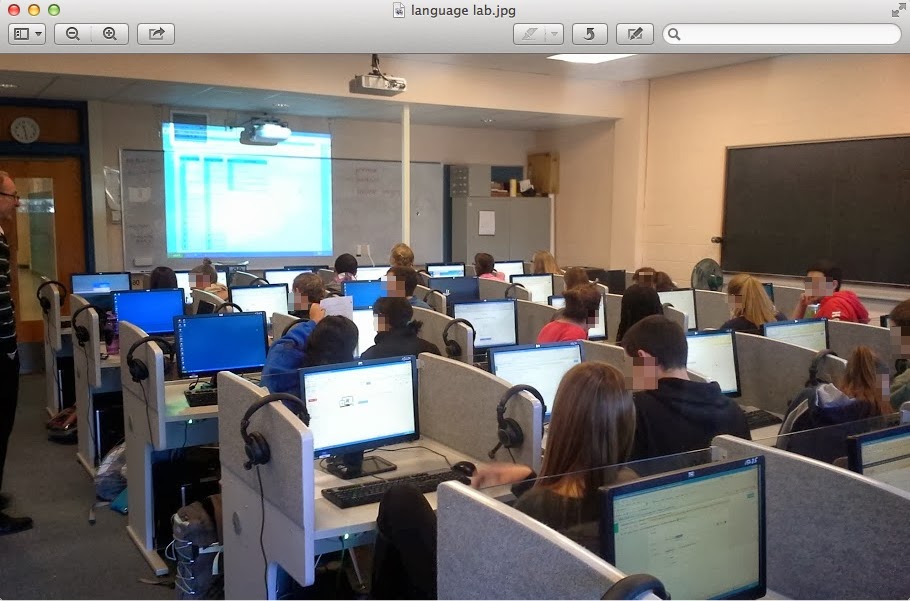
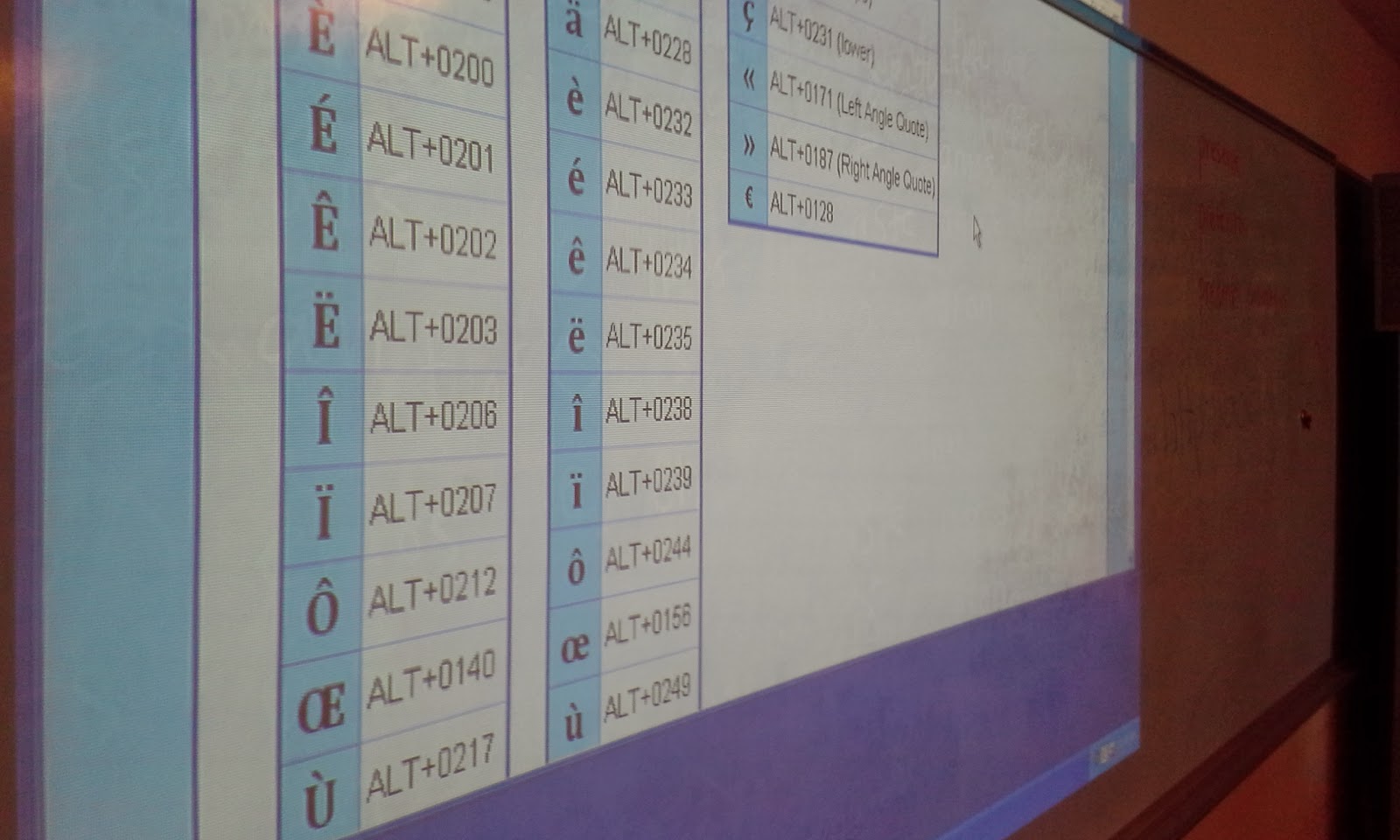
One of the most interesting components of this lesson was teaching students how to add the accent to specific letters in the French language using the American keyboard. We used a webpage with the keyboard shortcuts on the board to assist students with what they needed to type in order to get the accent to show. Many students entered their survey questions in a very expedient way and successfully created their forms. I then was able to show them the live link in which they could then share their form with anyone. I had them copy their link and add it to a document in which I shared with them. Students enjoyed editing the document collaboratively and seeing live the addtion of each survey to the shared document. The final document had all of their surveys links and names on it. I shortened this link and made it so the French teacher could then share these surveys with another class in France to comlete so that the American students could review the responses.


The students in this class were now easily able to share their surveys with each other and were able to practice creating them using a tool which was intuitive and allowed them to create a variety of questions(multiple choice,text,paragraph,checkboxes,drop down,grid,choose from a list,scale). The sharing feature is valuable in that a variety of settings can be set once and editing by different people can be controlled. The person who created the form or anyone else can edit or not based on the settings. The form can be made available to the public or kept private. Google enables specific editing features for each document created.


The opportunity to use the language lab was a great benefit to this group of students. This lesson could be done in any computer lab or classroom which has internet access. Google Docs provides a great free way to create surveys or web-based forms in which you can collect data about a variety of subjects. It is very user-friendly and with just a few simple steps can be applied to almost any classroom. It can be used to help with assessment by creating test or quizzes or even in a flipped classroom model so that students can answer questions at home and then have a discussion about them when they get to school.